


Desktop Application
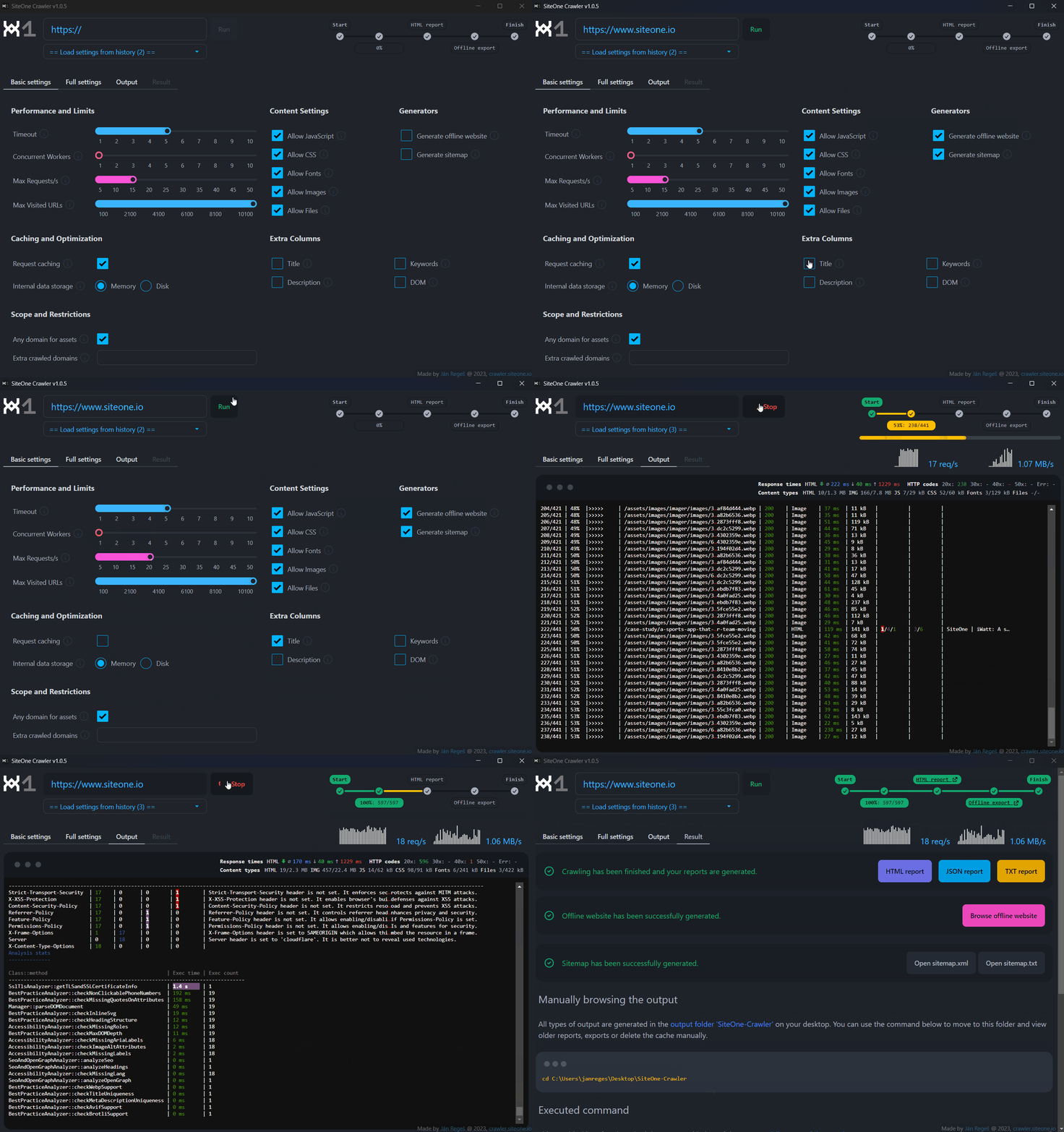
Netlify.com: 📊 Audit report 🚀 Web clone
The audit report is limited to the first 1 000 URLs using --max-visited-urls=1000.
Everything you need for your website
What it does
…or install the command-line version:
curl -1sLf https://dl.cloudsmith.io/public/janreges/siteone-crawler/setup.deb.sh | sudo -E bash
sudo apt install siteone-crawler
siteone-crawler --url=https://your-site.com
curl -1sLf https://dl.cloudsmith.io/public/janreges/siteone-crawler/setup.rpm.sh | sudo -E bash
sudo dnf install siteone-crawler
siteone-crawler --url=https://your-site.comcurl -1sLf https://dl.cloudsmith.io/public/janreges/siteone-crawler/setup.rpm.sh | sudo -E bash
sudo zypper install siteone-crawler
siteone-crawler --url=https://your-site.comcurl -1sLf https://dl.cloudsmith.io/public/janreges/siteone-crawler/setup.alpine.sh | sudo -E bash
sudo apk add siteone-crawler
siteone-crawler --url=https://your-site.comPrefer Homebrew? brew install janreges/tap/siteone-crawler
# Homebrew (macOS)
brew install janreges/tap/siteone-crawler
siteone-crawler --url=https://your-site.comsiteone-crawler-*-win-x64.zip from the releases page.cmd or PowerShell in that folder and run:siteone-crawler.exe --url=https://your-site.comDesktop Application
The audit report is limited to the first 1 000 URLs using --max-visited-urls=1000.
Command-line Interface

Astro.build: 📊 Audit report 🚀 Web clone
Nextjs.org: 📊 Audit report 🚀 Web clone
The audit reports are limited to the first 1 000 URLs using --max-visited-urls=1000.
Nextjs.org website clone was done with the --disable-javascript setting to suppress unwanted features that can't work without the backend.
Indexing of example website clones by search engines is disabled using robots.txt.
Audit report + quality score
Every crawl ends with an interactive HTML audit report and a 0–10 quality score across Performance, SEO, Security, Accessibility & Best Practices — plus a “Fix first” panel that ranks the highest-impact issues so you know exactly where to start.
💡 See a live report for astro.build, netlify.com or nextjs.org.
Block bad deploys (CI/CD gate)
Wire it into your pipeline with the built-in CI/CD quality gate (--ci): configurable thresholds, JUnit XML and GitHub annotations, with exit code 10 on failure to fail the build automatically. Doubles as a post-deploy cache warmer.
Clone any website for offline use
Generate a static offline clone (mirror) of your whole site — assets, fonts, documents and 3rd-party resources included — to browse without a server. Great for archival and disaster-recovery plans.
💡 Browse a real clone of docs.astro.build or netlify.com.
Convert a website to Markdown for AI
Convert an entire website to clean Markdown (or one large file) — ideal for feeding LLMs / AI models, generating llms.txt, or documentation. Includes standalone HTML-to-Markdown and a built-in viewer.
Crawl JavaScript / SPA sites
Optional --browser mode renders each page in a real Chromium (CDP), so React, Vue, Svelte, Angular & Next.js sites are crawled, exported and converted with their post-render DOM.
Run it headful (--browser-headful) to watch the browser open and click through every page live, capture a screenshot of every crawled page (viewport or full-page, as PNG/JPG/WebP) and stitch them into a GIF or MP4 video time-lapse, and collect console / JavaScript / network diagnostics for each URL.
Bring your own LLM (AI assistant)
Plug any LLM into the analysis — commercial (OpenAI, Anthropic, Google Gemini) or fully local & private (vLLM, Ollama, LM Studio, or any OpenAI-compatible endpoint), so your data never has to leave your machine.
The opt-in AI assistant adds AI-graded SEO, an executive summary across security, accessibility, performance & infrastructure, spelling/grammar checks, llms.txt and your own custom prompts — with strict cost controls and a --ai-dry-run preview.
…and that’s not all: deep crawling, SEO & OpenGraph, accessibility, security, performance, broken links & 404s, sitemaps, stress testing, email reports and more. See all features →
Grab the desktop app or CLI from the top of this page — or explore every option: ready-to-use packages (Homebrew, apt, dnf, zypper, apk), system requirements, build from source and the desktop application.
Star us on GitHub ⭐
If the tool saves you time, a star helps others find it. Star the command-line interface and the desktop app repos.
Missing a feature? Tell us or open a feature request.
Share it